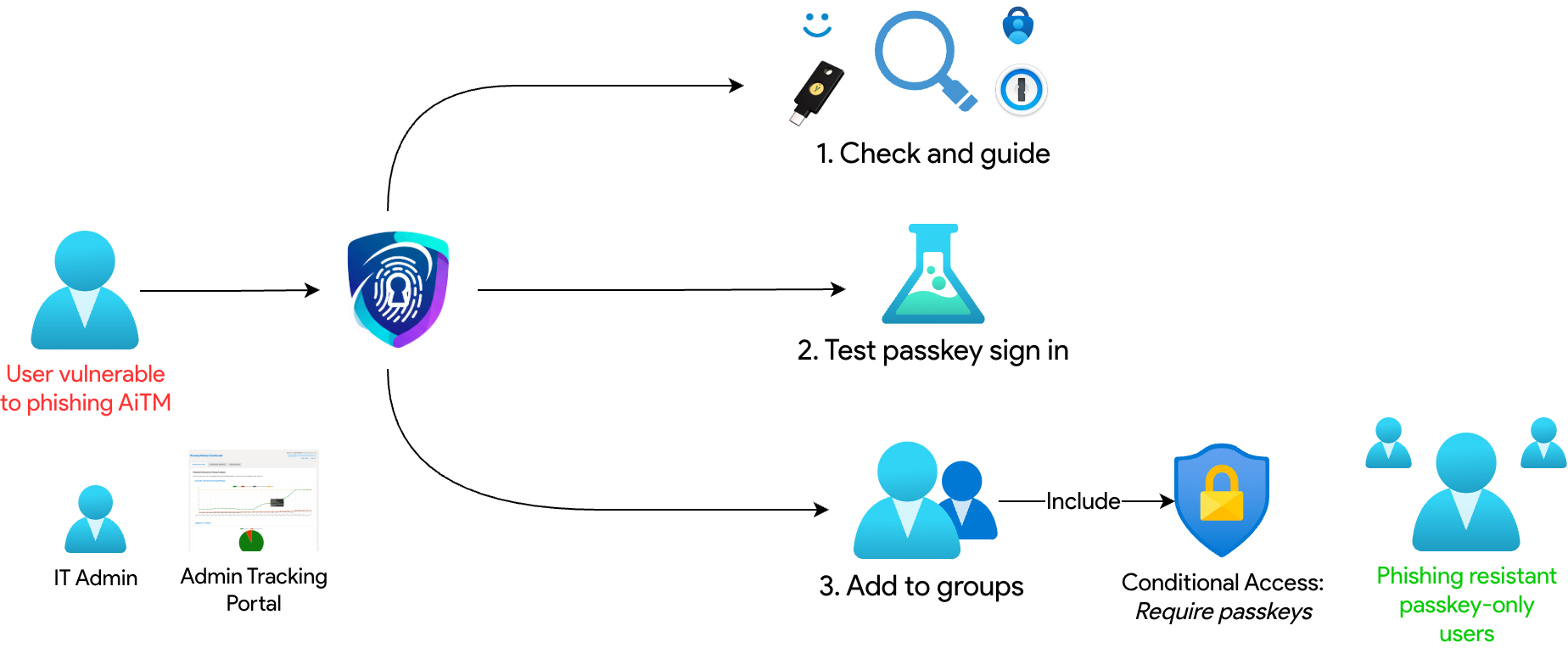
Requiring passkeys can make your organisation phish-resistant, but only if users are required to use passkeys. Registering alone is not enough. Enforcement brings challenges. This table contrasts a manual Entra ID rollout with using the helper.
Challenge
Without Passkey Helper
With Passkey Helper for Entra ID
Require passkeys to be enforced
Add bulk users to group, hope they don't get locked out.
Users self-enforce for a gradual enforcement.
Instructions to users
Generic guidance, including where steps that might not apply to the user.
Dynamically mapping passkey guidance from methods registered.
Account lockout risk
Spreadsheets to calculate if the user has registered passkeys, but not sure methods have been used (e.g. forgotten WHFB pin)
Dynamically checking OS usage, passkey usage and detecting where user action is needed.
Rollout planning
Repeated chasing, including to those completed.
Tracking, nudging and reporting as standard.
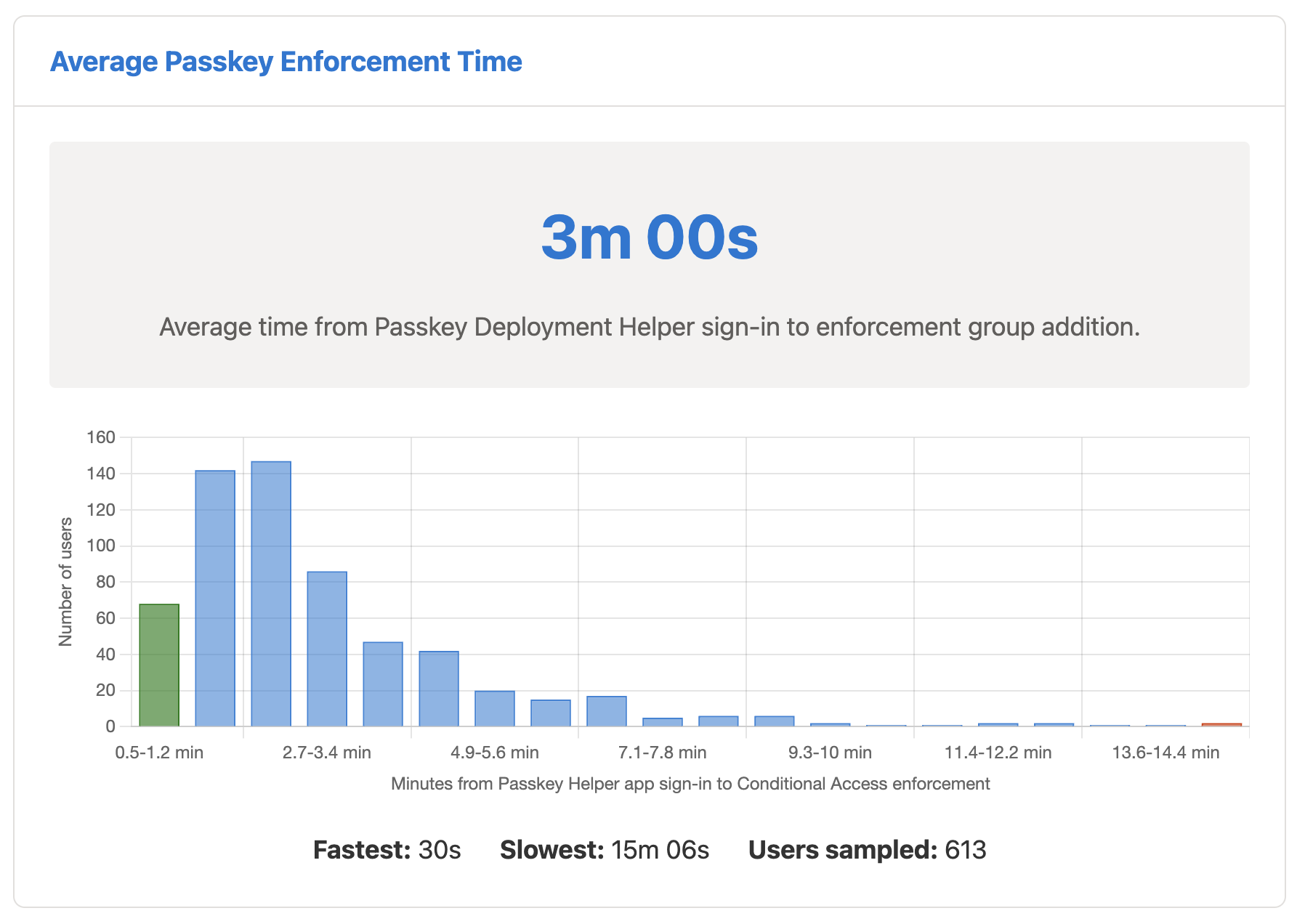
We bring down the average passkey migration time to 3 minutes!
Our value proposition: A faster, smoother passkey rollout cuts support load and keeps people working — less time on the helpdesk, more time on productive work.
Simple for Users
The user-facing application provides a clear, customisable, step-by-step process. It checks a user's current methods, guides them through a personalised passkey registration journey, and lets them enforce with a single click when they are ready.
Real-time passkey activity takes the guidance one step further: A real-time analysis of sign-in logs can find active and stale auth methods as well as warn users when we don't see a passkey for an operating system they have been seen to use.
Powerful for Administrators
Built for Microsoft Entra ID tenants.
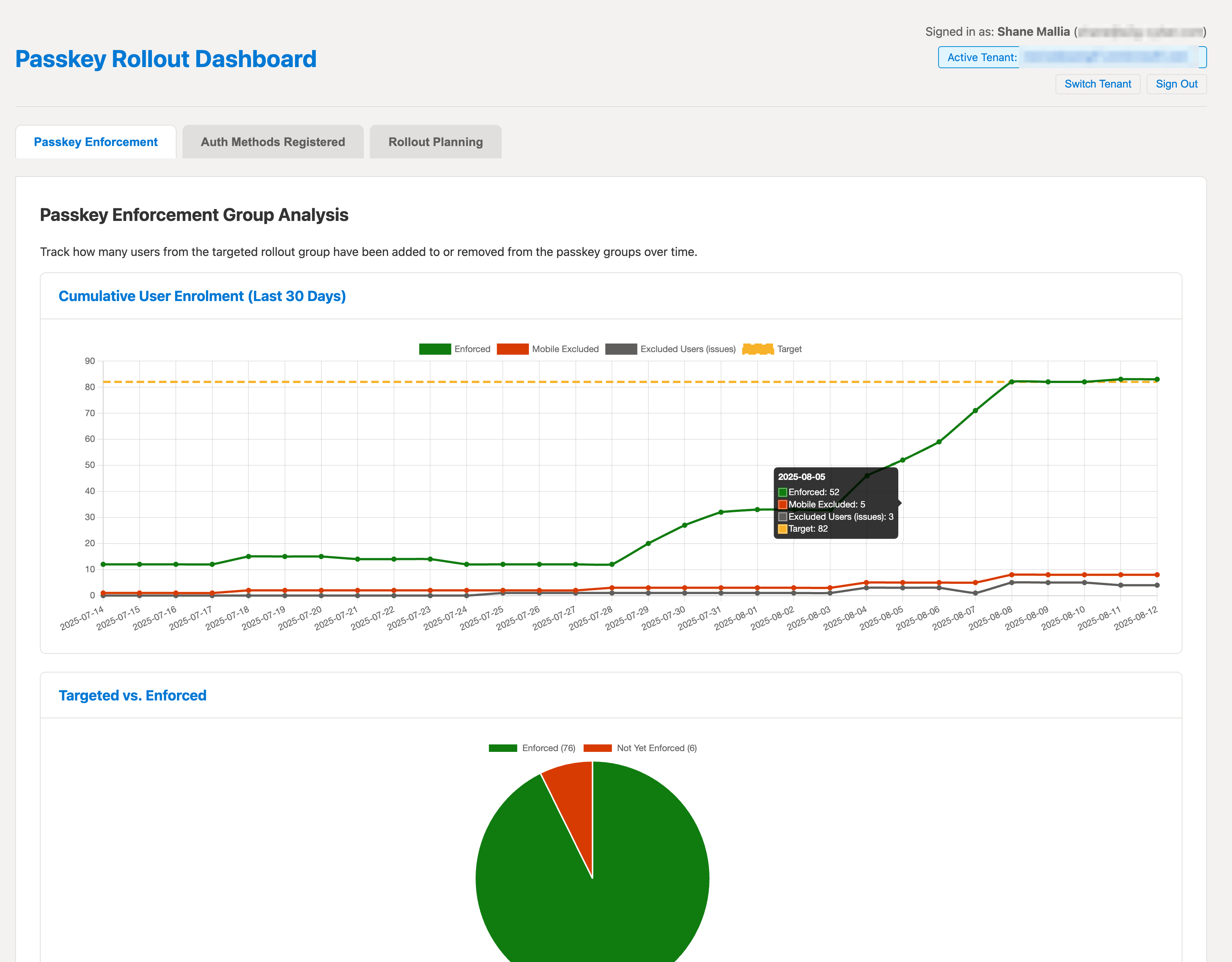
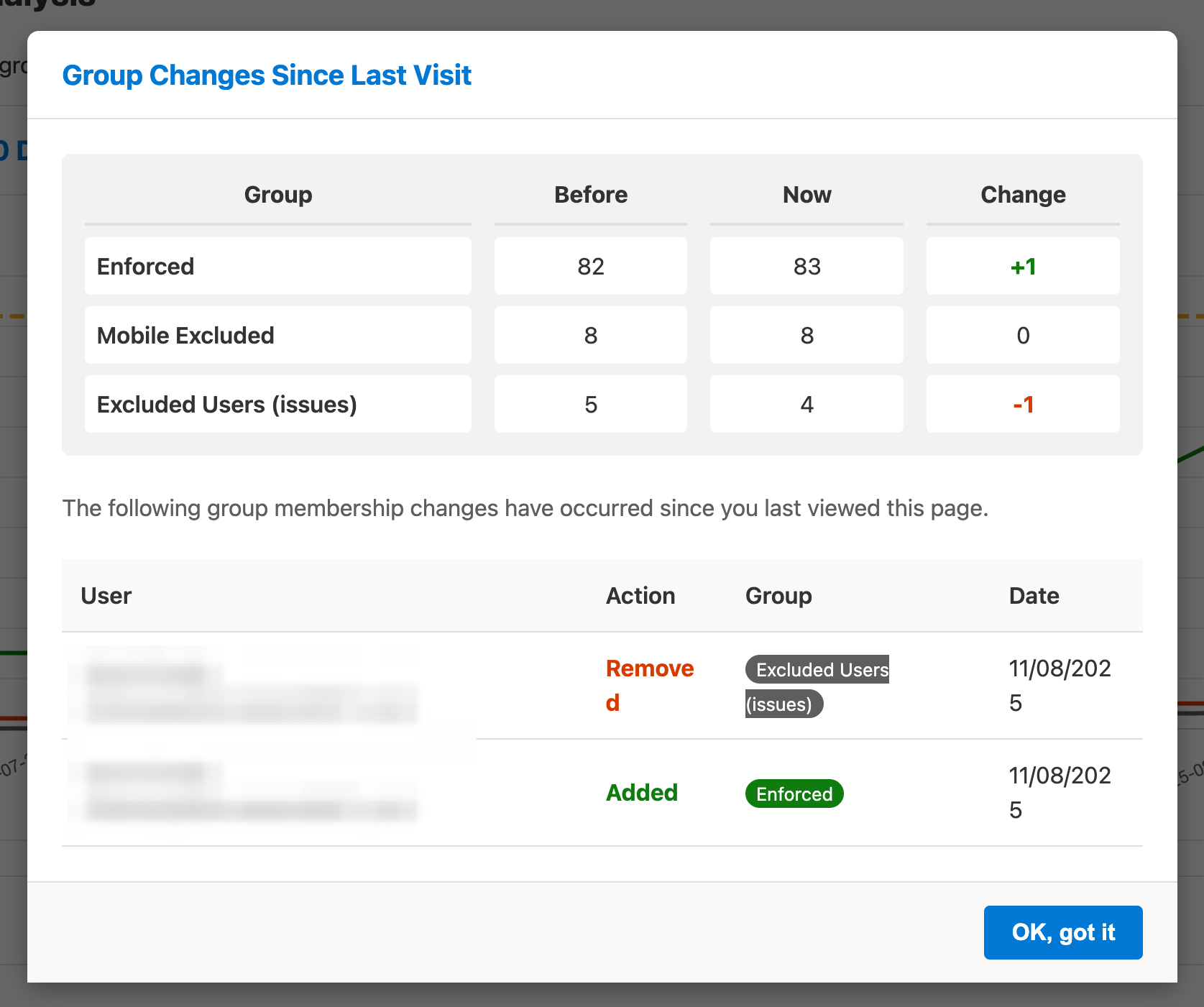
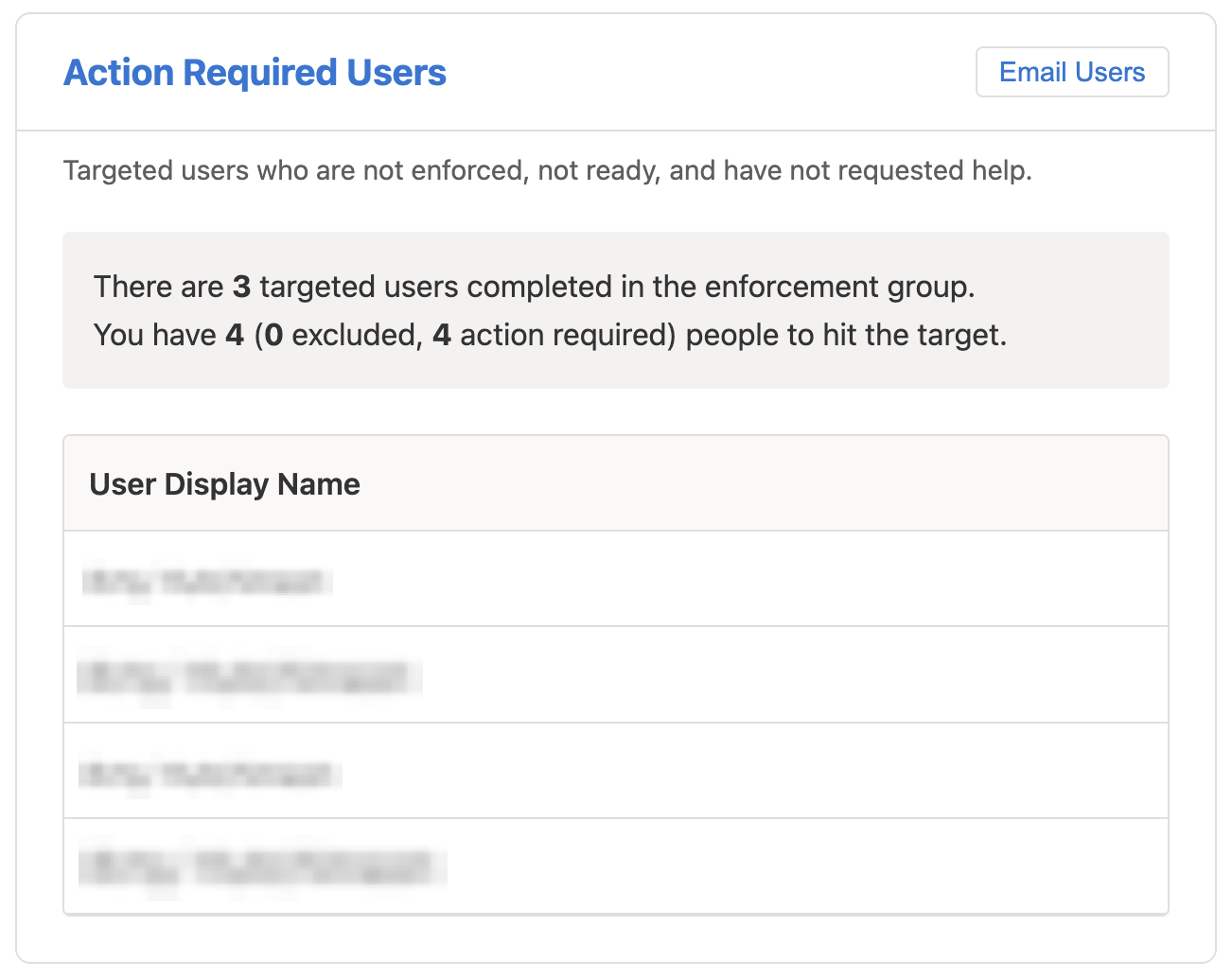
The admin portal gives you a complete overview of the rollout progress. Track adoption rates, see which users have completed the process, and identify users who may need assistance.
How the Passkey Deployment Helper works
Note: The Passkey Deployment Helper does not replace Microsoft portals. Users still register or change authentication methods in My Security Info (or the Authenticator app), and your organisation must configure Conditional Access correctly. The helper simply streamlines guidance, onboarding, and
self-service enforcement.
Typical project plan
A typical rollout project using the Passkey Deployment Helper
Every organisation is different but they usually take similar steps to below. The passkey deployment helper becomes an integral part of any Entra ID passkey migration project..
Permissions required
Permissions for Microsoft Entra ID
User-facing app (delegated)
What permissions the user-facing app asks for
›
User.Read — sign the user in and personalise guidance.
UserAuthenticationMethod.Read — show which passkeys the user already has.
Directory.Read.All — query device IDs to establish what device the user is on.
Admin portal (delegated)
What permissions the admin portal asks for on behalf of the logged in user
›
AuditLog.Read.All — view recent sign-ins in the admin dashboard.
User.Read.All & UserAuthenticationMethod.Read.All — see rollout state by user.
Group.Read.All — read group members for reporting.
Role: Admin portal requires the user to have Global Reader to use these delegated permissions.
Backend API application permissions
Permissions that do not require a logged in user and are used by our backend API
›
AuditLog.Read.All* — pull sign-in signals for real-time activity.
Individual Group Owner — the backend app is an owner of a set of groups so it can manage membership.
Log Analytics Data Reader (optional) — to query sign-in logs in Log Analytics Workspace.
* AuditLog.Read.All only when real-time activity is enabled.
Requirements
What you need in your tenant
›
Entra ID P1 (minimum) — needed for sign-in logs, conditional access, and group-based enforcement.
Log Analytics Workspace w/Entra ID Sign in logs (optional) — For more reliable sign-in log analysis than Graph API.
Who can consent
Roles that can grant consent
›
Global Administrator — can grant all delegated and application permissions.
Privileged Role Administrator — can grant the application permissions if delegated by policy.
Limited time
Passkey Deployment Helper has been tested in several enterprises, and we're now accepting new customers 🎉🥳. It will be Free until 28 February 2026, whilst we soft launch and gather feedback.
Pricing for every rollout stage
Start with a free trial, purchase standard, or get a bespoke quote with a consultancy package for complex environments.
We charge an up-front per-user fee based upon how many identities you want to use the tool. Each unique Entra ID user object detected will count towards your purchased user count.
Free Trial
Proof-of-value
£030 day trialUp to 10 users. There is no obligation to purchase, and no sales calls.
Start your journey below to create a 30-day 10 user evaluation trial. If you want to deploy to your organisation then you can add licences later. Reach out to our support email address for any questions.
We are part of A2g Cyber, a cyber consultancy working with large enterprises to improve their security. We specialise in Entra ID and identity, helping your team find and fix security issues together.